Showing posts with label Mobile Section. Show all posts
Showing posts with label Mobile Section. Show all posts
Show bangla on nokia mobile
 07:44
07:44
 Unknown
 Posted in
Internet,
Mobile Section,
Symbian,
Tips and Tricks
Posted in
Internet,
Mobile Section,
Symbian,
Tips and Tricks

Screenshot on Symbian
12:33
Unknown
Screenshot on Symbian
Screenshot means capturing your own mobile screen image.Many we need take Screenshot of our mobile.Screenshot is helpful for capturing chat info ,apps screenshot,message screenshot,video etc.Now i will show you the process to take Screenshot on nokia Symbian mobile.

- Download Screenshot software from here.
- You can change settings from setting option.
Posted in
Mobile Section,
Symbian,
Tips and Tricks
Use your symbian mobile as a QR code scanner
21:31
Unknown
Use your symbian mobile as a QR code scanner
QR (Quick response) code is a code like barcode what use for keep information.It use black dots in white background to contain information such as websites,@copyright information ,company name,download links etc.Now i will show you how to use your symbian mobile as a QR code scanner
 Posted in
Internet,
Mobile Section,
Symbian,
Tips and Tricks
Posted in
Internet,
Mobile Section,
Symbian,
Tips and Tricks
Create a AVD(android virtual device)
12:04
Unknown
1.Click on the mobile icon from the top of IDE.

2. Click on New.
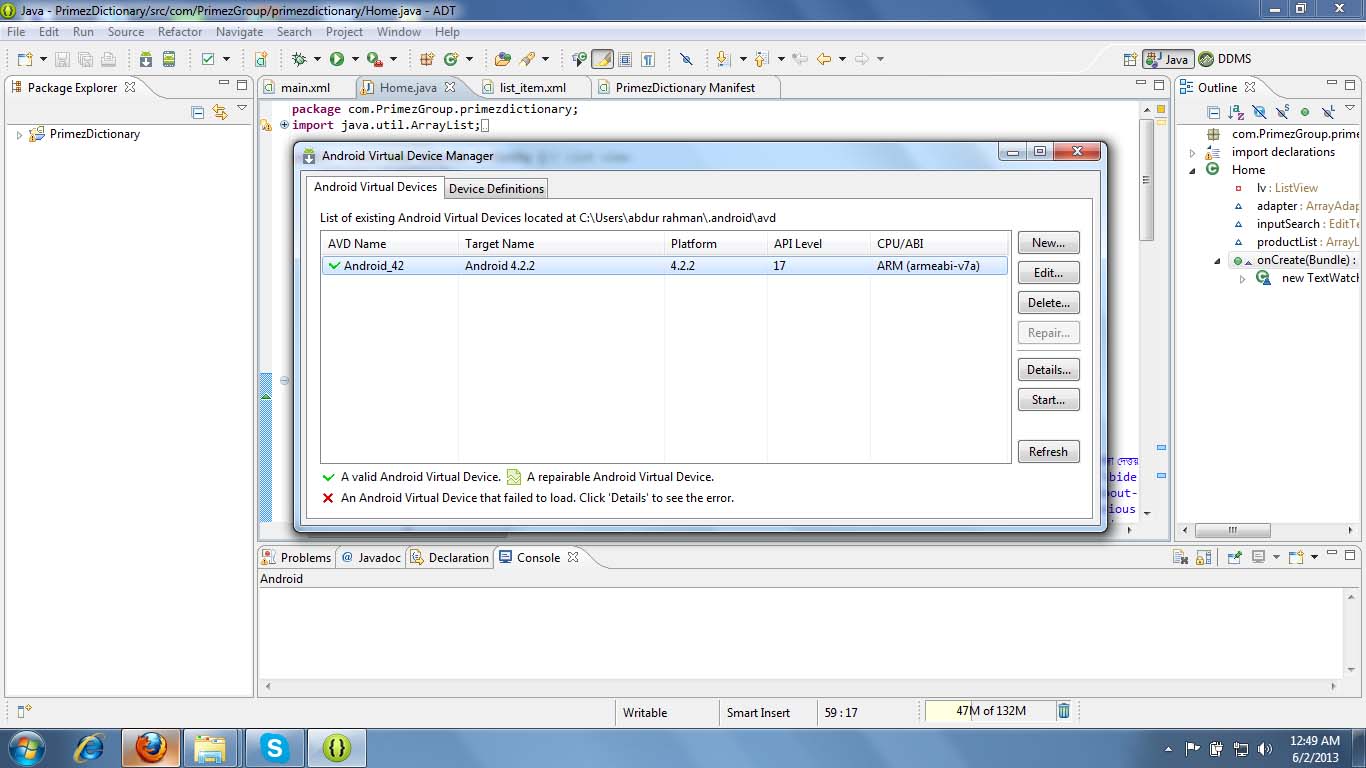
2. Click on New.
Posted in
Android,
Mobile Section
Tools to start android programming
11:35
Unknown
Download Andorid SDK from here
The feature's of this....
The feature's of this....
- Eclipse + ADT plugin
- Android SDK Tools
- Android Platform-tools
- The latest Android platform
- The latest Android system image for the emulator
Posted in
Android,
Mobile Section
Run java apps on your coumputer
10:46
Unknown
1. Download sjcrot java emulator .
2.Install sjcrot java emulator.
3.Then, open your .jar files using this software.

2.Install sjcrot java emulator.
3.Then, open your .jar files using this software.
 Posted in
JAVA,
Mobile Section
Posted in
JAVA,
Mobile Section
Subscribe to:
Posts (Atom)


